Mapping
Why some controls feel obvious and others need a sticky note. The quiet relationship between what you touch and what it changes.
Mapping
Two propellers and one touchscreen
Just before half past five on the morning of 21 August 2017, the American destroyer USS John S. McCain was on its way to Singapore through the Singapore Strait, one of the busiest stretches of water in the world. On the bridge, the commanding officer noticed the helmsman struggling to steer and keep the speed at the same time, and ordered the duties split: steering would stay at the helm station, while the throttles for the ship's two propellers would move to a second station nearby, the lee helm.
The ship's controls ran through touchscreens. In making the transfer, a watchstander moved steering control too, without anyone realising. The helmsman felt the wheel stop answering and believed the ship had lost steering. In the confusion that followed, control was shuffled between stations. The two throttles, normally linked so that one movement drove both propellers, were no longer linked. When the lee helmsman reduced speed, only one propeller slowed. The other kept turning much faster, and the destroyer swung to port, straight across the path of a tanker, the Alnic MC. The collision killed ten sailors and injured dozens more.
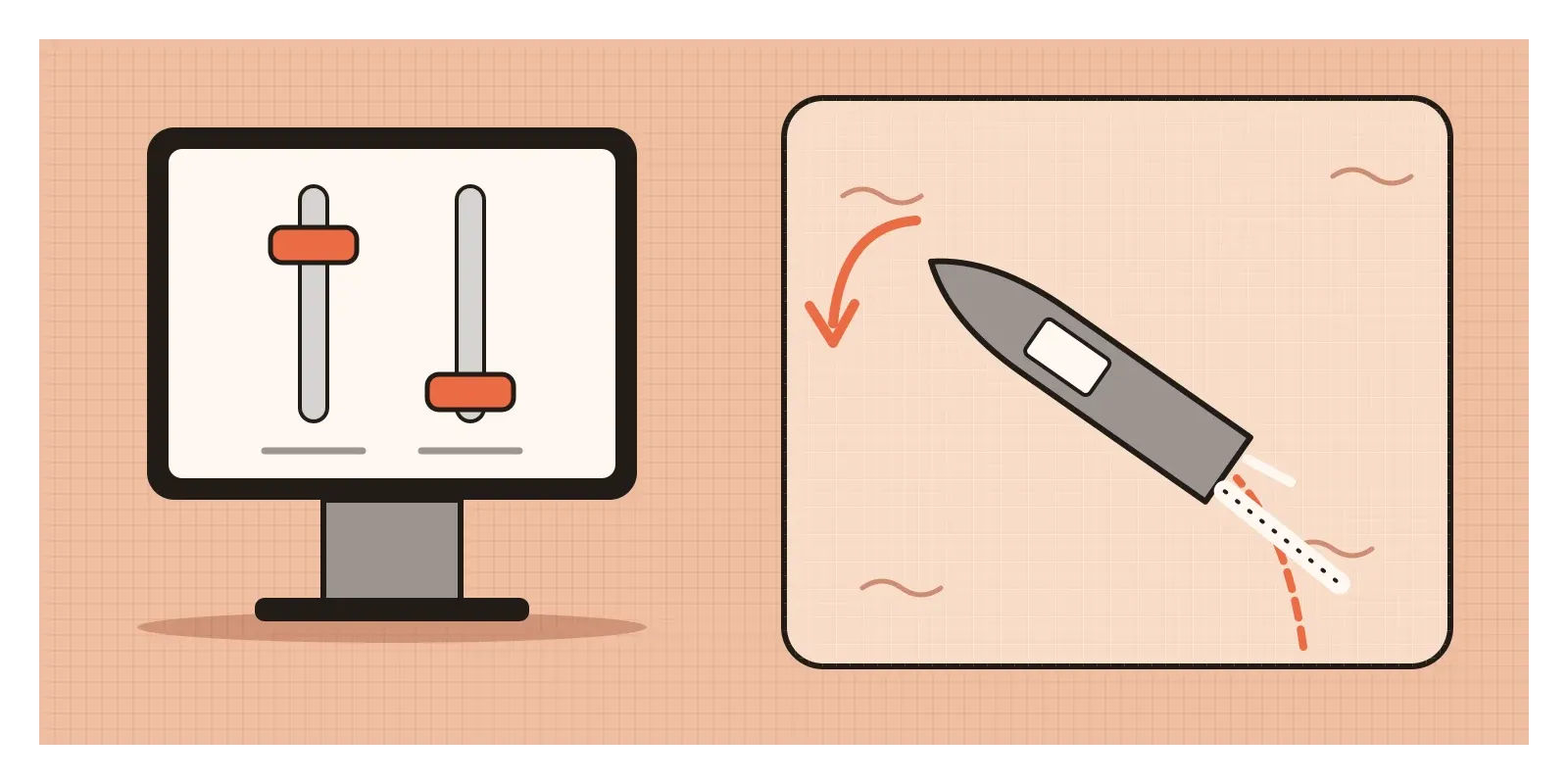
The US National Transportation Safety Board placed the main blame on poor oversight, training and procedures. But it also found that the touchscreen design had made operator errors more likely. With physical throttle levers, two handles at different heights are obvious at a glance and under the hand. On a flat screen, nothing told the lee helmsman that his controls and the ship's propellers no longer moved together. In 2019, the US Navy announced it would put physical throttles and traditional helm controls back on its destroyers.
The relationship between a set of controls and the things they control has a name in design. It's called mapping. In the posts on signifiers and feedback, I looked at how systems show what you can do and what just happened. Mapping decides whether you reach for the right control at all.
Four stoves in a laboratory
Don Norman explains that the word is borrowed from mathematics, where a mapping is the relationship between the elements of two sets. One set is the controls, the other is what they act on. When the layout of the controls echoes the layout of the things they control, he calls it natural mapping, and it leads, in his words, to "immediate understanding". His favourite example is a car seat control used by Mercedes-Benz and later many others, shaped like a little seat. Lift its front and the front of the seat rises. Push its back and the seat reclines.
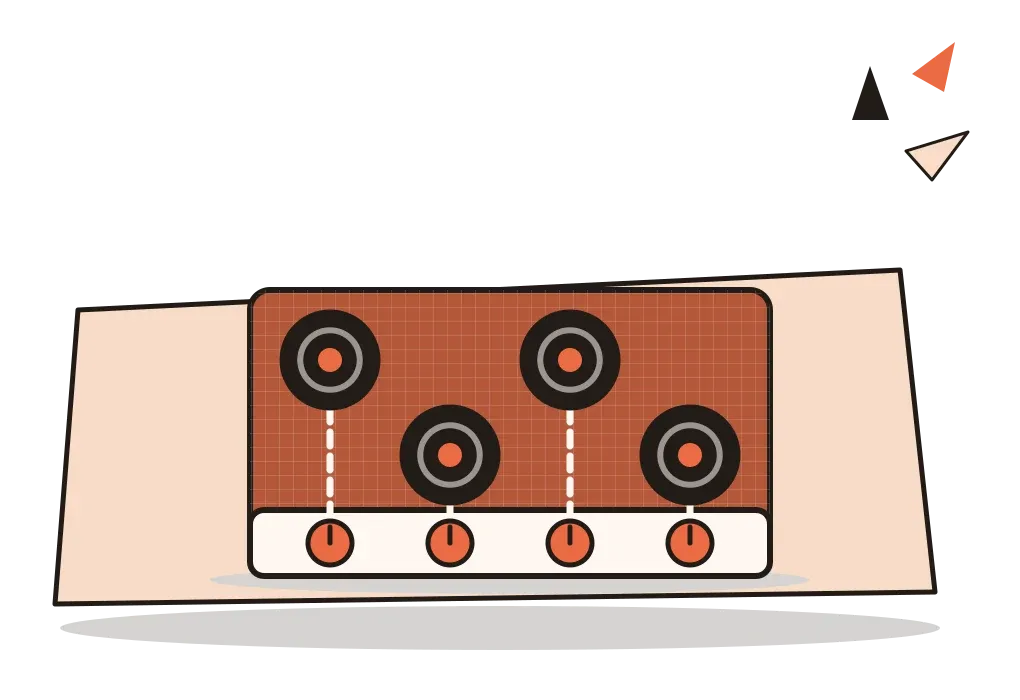
The classic evidence comes from kitchen stoves. In 1959, the human factors pioneer Alphonse Chapanis and his colleague L. E. Lindenbaum built four wooden model stoves, each with four burners and four knobs in a row along the front, but with the knobs linked to the burners in different ways. Fifteen people used each model, responding to signals telling them which burner to use, for eighty trials each. In the later trials, one arrangement stood out. On that stove the burners were staggered so that each knob lined up with its own burner, and people made no errors at all. The other three arrangements produced error rates of around 6, 10 and 11 per cent, even after dozens of trials of practice.
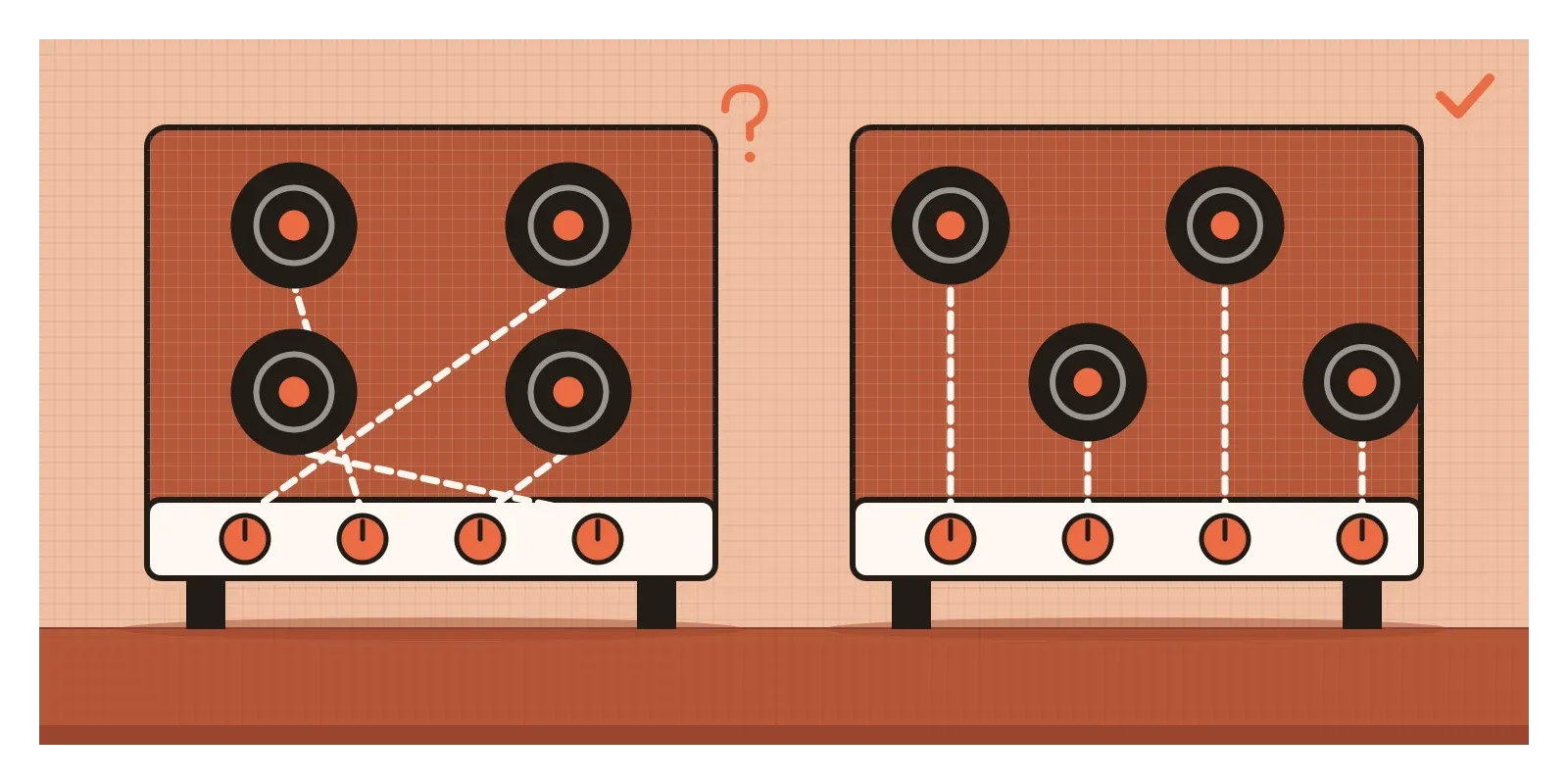
Those numbers sound small until you remember what they mean in a kitchen: about one turn in ten heating the wrong pan. Yet most stoves are still sold with four burners in a square and four knobs in a line, a layout that can't map naturally, which is why so many have little diagrams printed beside each knob.
A common misunderstanding is that mapping is only about position. It also covers direction (turning a wheel clockwise turns the car right), grouping (controls for the same thing sit together) and quantity (moving something up means more). Norman points out that up for more is close to universal, which is why volume sliders and graphs rarely confuse anyone.
Reaching towards the sound
Why does a good mapping feel effortless? Part of the answer is that our brains link space and action automatically, even when we're told not to. In 1967, the psychologist J. Richard Simon and his colleague A. P. Rudell published a study in which people pressed a left or right key in response to a word heard through headphones. The side of the head the word arrived at was irrelevant to the task, yet people responded faster when it matched the side of the key. Simon described this as a natural tendency to react towards the source of stimulation. The Simon effect, as it's now known, is one of the most replicated findings in experimental psychology. When a control sits on the same side as its effect, we're working with that tendency instead of fighting it.
Other expectations are learned, and these are called population stereotypes. Turning a knob clockwise is expected to increase something. The researcher M. J. Warrick described in 1947 how people expect a pointer to move the same way as the side of the knob nearest to it. Light switches show how local these habits can be. In India and Britain, a switch is usually on when pressed down. In the United States, on is up. Neither is natural. Each is just what people grew up with.
So the evidence is strong that spatial correspondence speeds people up and reduces errors, and that clashing with a learned stereotype causes mistakes, especially under stress. What's less settled is how far any mapping is truly universal. Norman himself warns that many mappings that feel natural are specific to a culture. A good designer checks whose "natural" they're designing for.
Which switch is the fan?
If you've grown up in an Indian home, you know this moment. You walk into a room in someone else's house, or a hotel, or a new flat, and face a switchboard by the door: a row of six or eight identical white switches, a fan regulator and a socket or two. You want the fan. You press the first switch and the tube light flickers on. The second lights the bathroom outside. The third does nothing you can see, perhaps the geyser, perhaps the porch, perhaps a socket. By the fifth you've found the fan, and the room is lit like a stage.
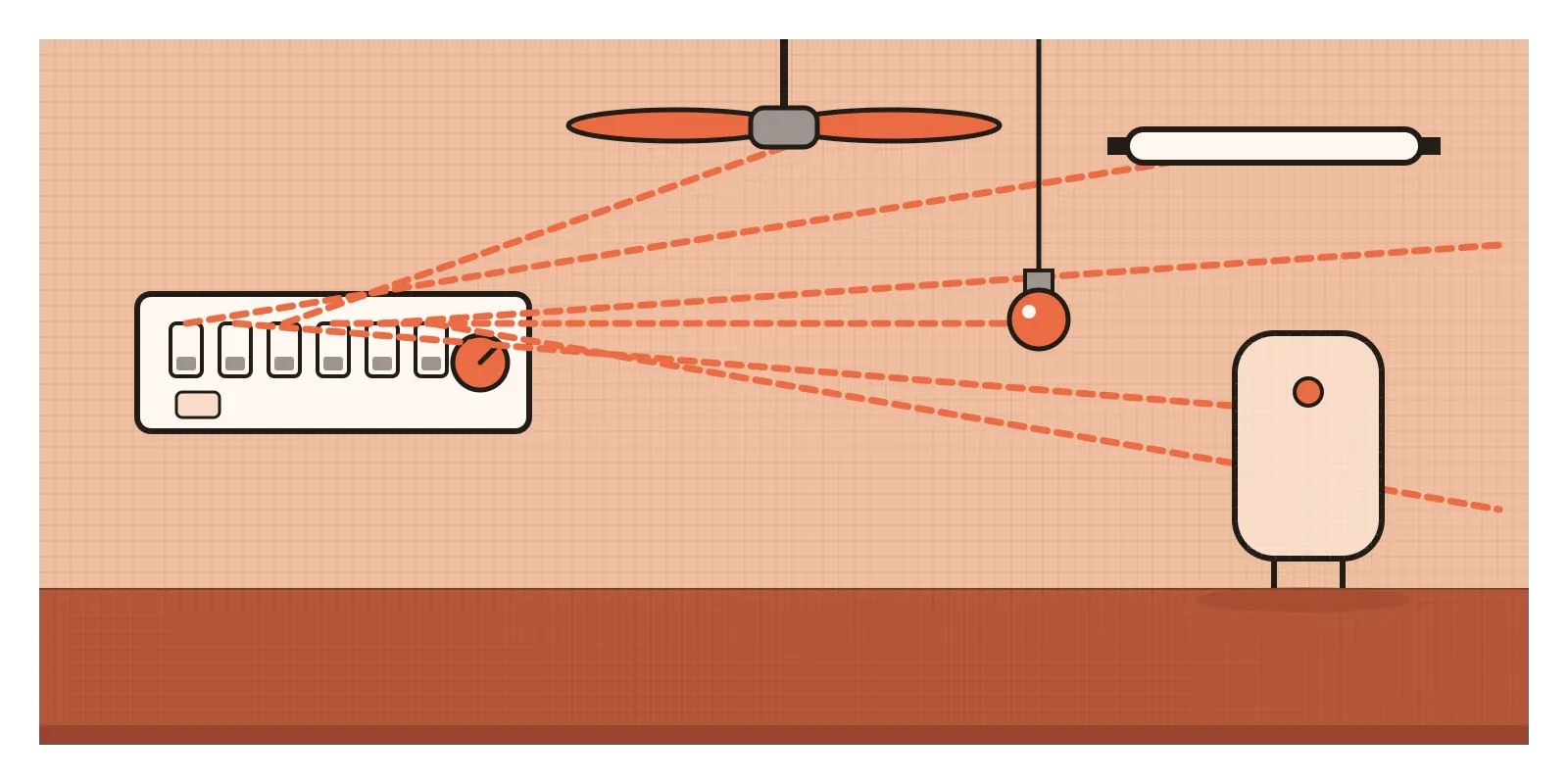
Every one of those switches has a perfect affordance and a clear signifier. The problem is pure mapping. The switches are laid out in a line in the order an electrician wired them, while the things they control are scattered around the room, the ceiling and sometimes the next room. Nothing about their position, shape or grouping tells you which is which. So we add mappings of our own. Families scribble "fan" and "light" on masking tape, or memorise the board by touch, which works for the people who live there and fails every guest.
The regulator is the bright spot. It's a different shape from the switches, it controls the one thing that has levels, and turning it clockwise makes the fan go faster, which matches the stereotype. Many newer modular switch plates help too, with switches that can be grouped, spaced or marked with small symbols. The simplest fixes cost almost nothing: arrange the switches in the same order as the things they control as you face the room, put the fan's switch right next to its regulator, and keep switches for other rooms on a separate plate. That's natural mapping, done with a screwdriver.
Picture a bus seat map
Picture booking an overnight sleeper bus from Bengaluru to Goa on your phone. The seat selection screen shows two grids of rectangles side by side, labelled L and U, with numbers like L7 and U12. Nothing shows which end is the front. Some rectangles are single berths, some doubles, and the window side isn't marked. You want a lower berth near the front, on the single side, away from the wheels. You tap one and hope.
Most of what's missing here is mapping. The screen is a map of a physical space, and it doesn't line up with the bus you'll actually climb into.
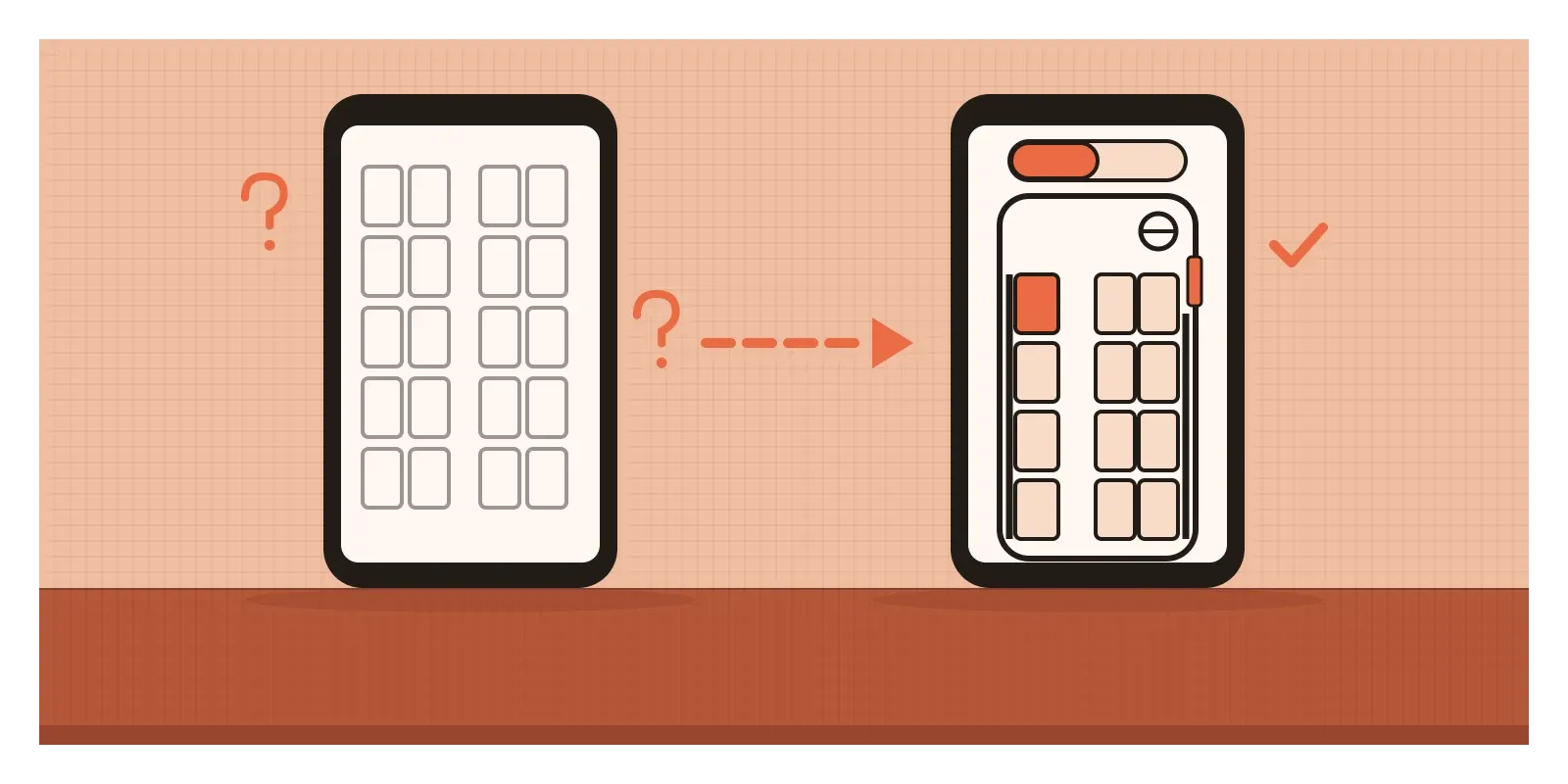
The redesign starts with orientation. The grid is drawn inside the outline of a bus, front at the top, with a small steering wheel on the right-hand side where it sits in an Indian bus, and the door marked where you'll board. The aisle becomes a visible gap, so single berths sit on one side and doubles on the other, exactly as you'll find them. Window edges get a thicker line. Lower and upper decks are shown as a switch between two views of the same outline, so a berth's position doesn't jump around when you change deck, and numbering runs from front to back in the order you'd walk past them.
Then I'd add the details that matter to travellers: a small marker for berths over the wheels, and berths reserved for women shown with a clear symbol and a word, not colour alone. The test for the finished screen is whether someone could stand at the bus door and walk straight to their berth without looking at the number again.
When the map can't match the territory
Mapping has limits. Many things have no physical layout to copy. There's no natural place for "privacy settings" or "export as PDF", so screens fall back on convention and grouping, which are weaker. Even good spatial mappings can break: rotate a tablet and a layout built around landscape may shuffle its controls, and a spatial arrangement that works beautifully on screen is read in a single line, top to bottom, by a screen reader. A seat map that relies entirely on position needs a text equivalent, like "lower berth 7, front, single, window", to work for blind travellers.
Mappings can also be too clever. A layout that perfectly mirrors a building's floor plan is useless to someone who doesn't know the building. Mappings need to match the user's model of the space, not the architect's.
And flat glass removes a whole layer of mapping we didn't know we relied on: the hand's sense of where a control is and what position it's in. That was part of the lesson of the John S. McCain. It's also why Euro NCAP, the European car safety programme, now assesses whether basic functions such as indicators, wipers, hazard lights, the horn and the emergency call button have physical controls, as part of its ratings from 2026.
How I draw lines between controls
When I review a screen with several controls acting on several things, I draw it. On one side I sketch the controls as they're laid out, on the other the things they affect as people imagine them, and then I draw a line from each control to its effect. If the lines run parallel, the mapping is natural. Every crossing is a likely error. Then I ask three smaller questions: does the direction of each control match the direction of its effect, are related controls grouped, and does "more" go up or clockwise?
Here's an exercise for this week. Pick the switchboard you use most at home or work. Without pressing anything, draw what you think each switch controls. Then test it. Count how many you got wrong, and sketch a rearrangement where the order of switches follows the order of things in the room. If you're feeling brave, try the same with a television remote.
Good mapping helps people press the right thing. In the next post, on constraints, I'll look at the other way to prevent errors: making the wrong action difficult or impossible. The two work best together, the way physical throttles both show and limit what a helmsman can do.
Further reading: Don Norman, The Design of Everyday Things (revised edition, 2013) · Alphonse Chapanis and L. E. Lindenbaum, "A Reaction Time Study of Four Control-Display Linkages" (1959) · J. Richard Simon, "Reactions toward the Source of Stimulation" (1969) · National Transportation Safety Board, Collision between US Navy Destroyer John S McCain and Tanker Alnic MC (2019)
The testIf you draw a line from each control on your screen to the thing it changes, do any of the lines cross?