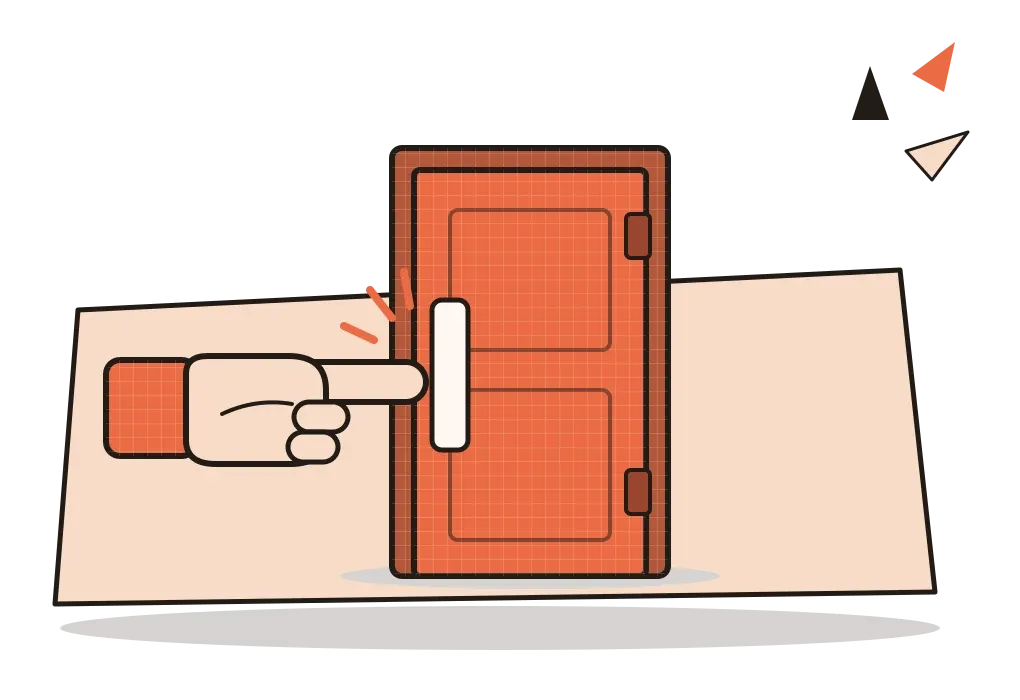
Signifiers
A push plate, a chevron, a crowd on a platform. The small signs that tell us where to act, and what happens when they go missing.
Signifiers
Trapped between two rows of glass
Near the start of The Design of Everyday Things, Don Norman tells a story a friend once told him. The friend walked into a post office in a European city. The entrance was a handsome row of six glass swinging doors, followed straight away by a second, identical row, a common way of keeping the indoor temperature steady. There were no handles, no plates, no visible hinges. He pushed one of the outer doors, it swung open, and he stepped inside.
Then something distracted him, he turned around for a moment, and without noticing he drifted slightly to one side. When he pushed the next door, nothing happened. Locked, he thought, and pushed the one beside it. Nothing. Puzzled, he turned back to leave, and the door he had just come through wouldn't move either. In Norman's words, he went from concern to mild panic. He was stuck in a glass box, until a group of people walked easily through both rows a few doors along, and he hurried over to follow them.
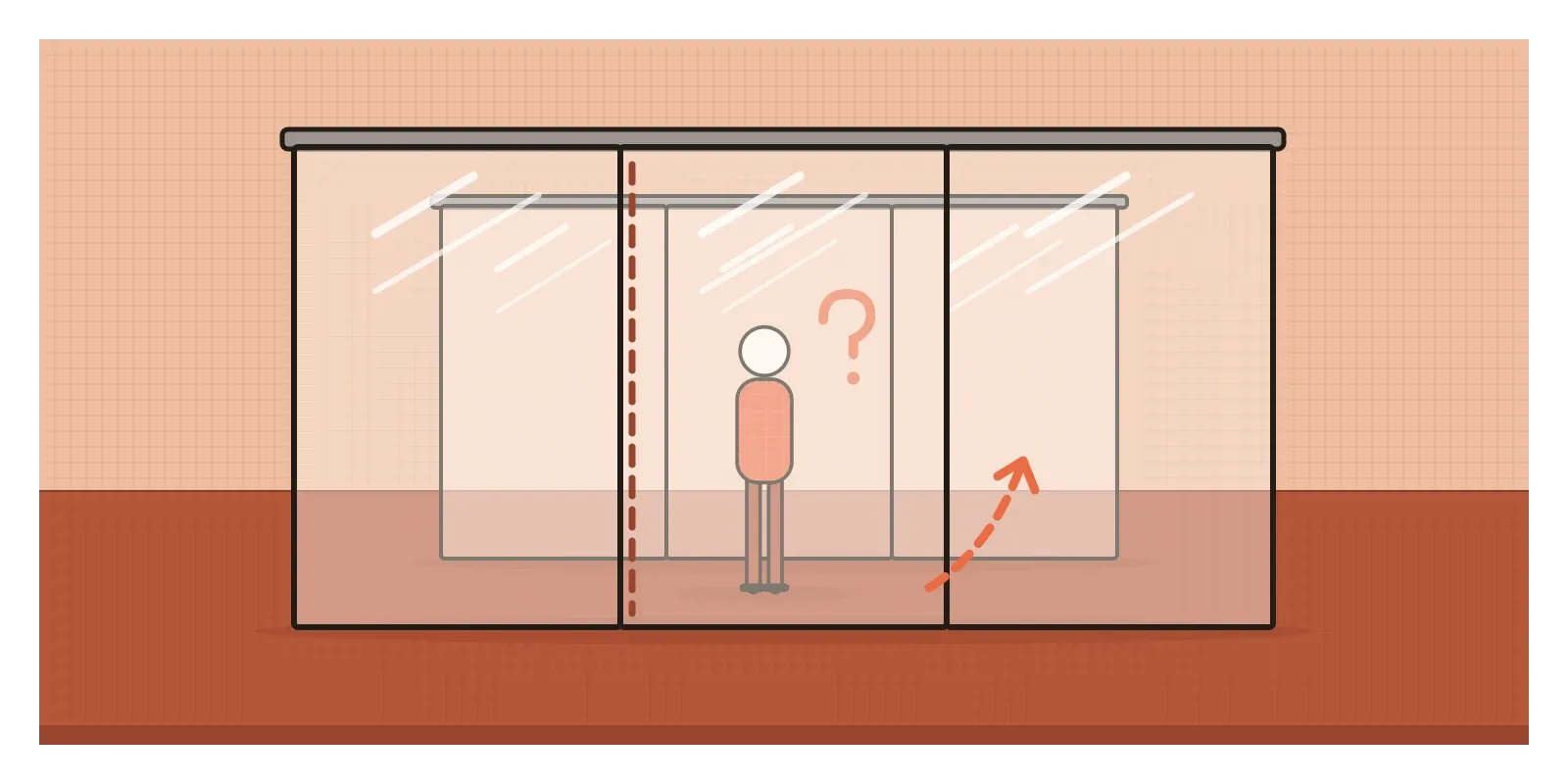
What went wrong? A swinging door has a hinged side and a free side, and pushing the hinged side does nothing. His friend had moved towards the hidden pillars and was pushing in exactly the wrong place. Nothing on those beautiful doors told him where to push. Norman's dry verdict: attractive doors, stylish, probably won a design prize.
Doors like these are now called Norman doors, a name other people gave them, which spread further after a 2016 video by Vox and the podcast 99% Invisible in which Norman appears. In the last post, I wrote about affordances, the actions an object makes possible. The post office doors afforded pushing perfectly well. What they lacked was a sign. That missing sign has its own name, and it's the subject of this post.
A word borrowed from linguistics
The word signifier is much older than interaction design. It comes from the Swiss linguist Ferdinand de Saussure, whose lectures were published by his students in 1916, three years after his death, as the Course in General Linguistics. Saussure split every sign into two parts: the signifier, the sound or mark, and the signified, the idea it calls up. The link between them, he argued, is arbitrary. Nothing about the sound "tree" resembles a tree, which is why Hindi can call it something else entirely. Across the Atlantic, the American philosopher Charles Sanders Peirce had already sorted signs into icons, which resemble what they stand for, indexes, which are physically connected to it, like smoke to fire, and symbols, which work only by agreement.
Norman took the word in a looser direction. As I mentioned in the post on affordances, his 1988 book used "affordance" for what were really visual hints, and designers adopted that meaning. In a 2008 essay for the magazine Interactions, titled "Signifiers, Not Affordances", he proposed a better word. He defined a signifier as any physically perceivable cue, "whether it is incidental or deliberate". By the revised edition of his book in 2013, the distinction was at its centre. "Affordances determine what actions are possible," he wrote. "Signifiers communicate where the action should take place."
He went further than many designers realise, arguing that in design, signifiers matter more than affordances, because they're what people actually perceive. And a signifier isn't only a label, which is a common misunderstanding. It can be a word like PUSH, a picture, a shape, a position, a sound or the form of the thing itself, like a flat plate on a door or the little bar at the bottom of a phone screen that suggests swiping up.
Detectives on a train platform
Norman's most useful idea about signifiers is that many of them are never designed at all. In his 2008 essay, he described a commuter arriving at a station. A crowded platform suggests the train hasn't come yet. An empty one suggests you've just missed it. Nobody arranged the crowd as a message, but people read it as one. He called these accidental signifiers, and admitted they're not completely reliable. In his book, he adds the trail worn across a field by earlier walkers, and the bookmark, which deliberately marks your place and accidentally shows how much of the book is left. A paper book tells you the end is near. An e-reader doesn't, unless a designer adds a progress bar.
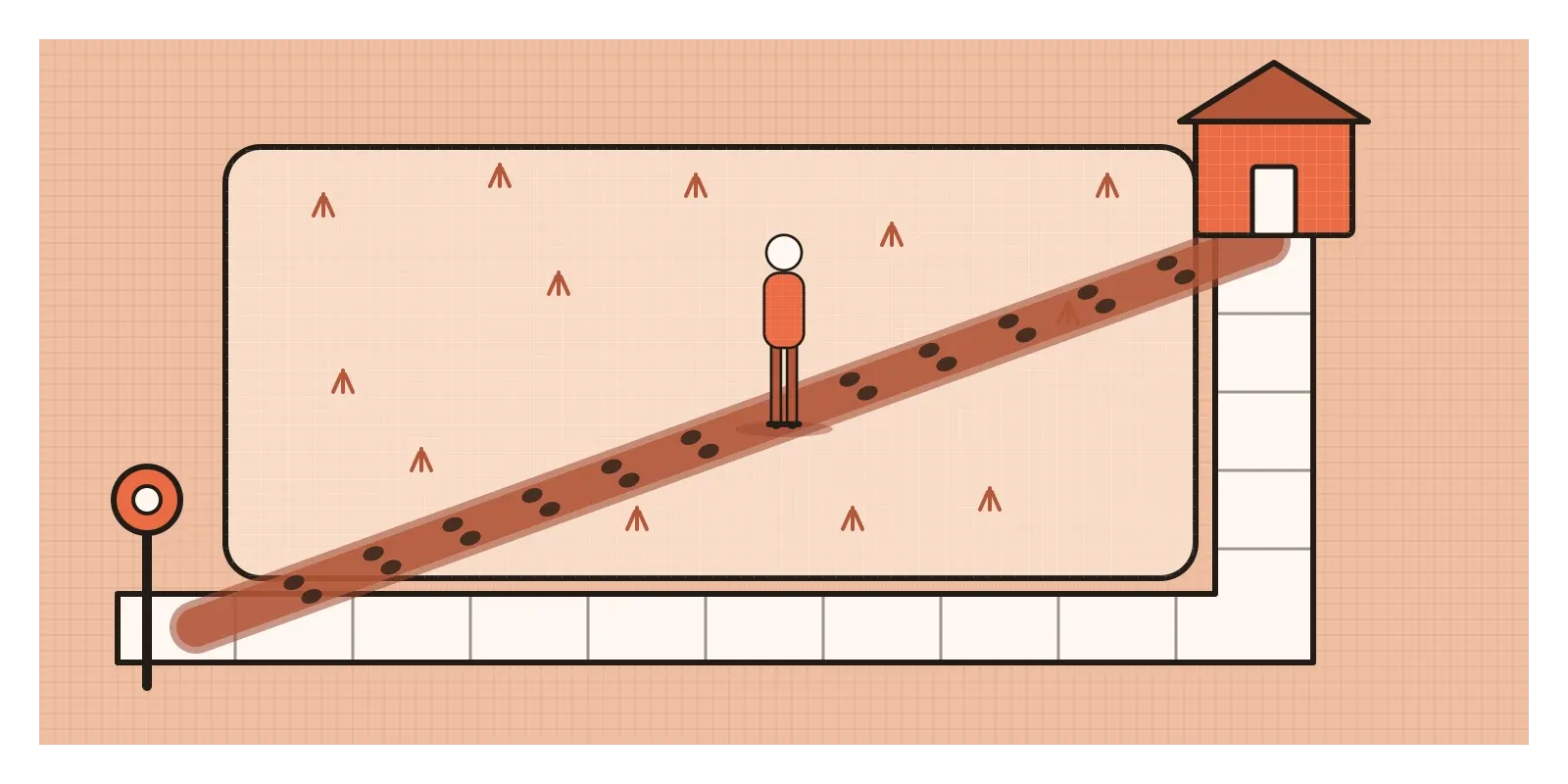
Why do we read cues so readily? Norman describes people as detectives, searching any scene for clues about what to do. Mostly, though, signifiers work through learning. In Peirce's terms, a worn path is an index, caused directly by feet. A pictogram of a person on a lift button is an icon. But underlined blue text, a hamburger menu or a greyed-out button are symbols. We understand them only because we've met them thousands of times. On screens, almost everything is a symbol, so a signifier that's new to someone may as well be invisible.
There is decent evidence that weak signifiers cost people time. In 2017, Kate Moran of the Nielsen Norman Group ran an eyetracking study with 71 people, who looked for specific elements on nine web pages. Each page came in two versions, one with strong clickability signifiers such as traditional buttons and underlined links, and one with weak ones, such as links that looked like plain text or ghost buttons with only a thin outline. On the weak versions, people took 22 per cent longer and made 25 per cent more fixations. The study didn't condemn flat design. It found that flat styles can work on simple, conventional layouts where interactive elements stand out. What hurts is a signal too faint to read.
Apple learned this in public. When iOS 7 arrived in 2013, many buttons became bare words with no border. With iOS 7.1, in 2014, Apple added an accessibility setting called Button Shapes that puts visible shapes and underlines back. I wrote about that era in the post on flat design.
Twenty coaches and a two-minute halt
Some of the best signifier design I know is on Indian railway platforms, because the problem is so hard. A long-distance train can have more than twenty coaches stretched over half a kilometre, and at many stations it halts for only a couple of minutes. Hundreds of people with luggage, children and elderly parents need to be in the right place before it stops, and many don't read English or the local script.
So the railways layer signifiers. At many stations, coach guidance display boards hang above the platform, each showing a coach code such as S4 or B2 at the point where that coach will stop. The same code is painted on the coach beside its doors. Announcements repeat the order of coaches in more than one language, and apps now show coach positions too. Popular railway explainers say even the coloured bands above the last window carry meaning, white on blue coaches marking unreserved second class and a broad yellow band marking coaches for disabled and sick passengers, though I couldn't find an official guide to them.
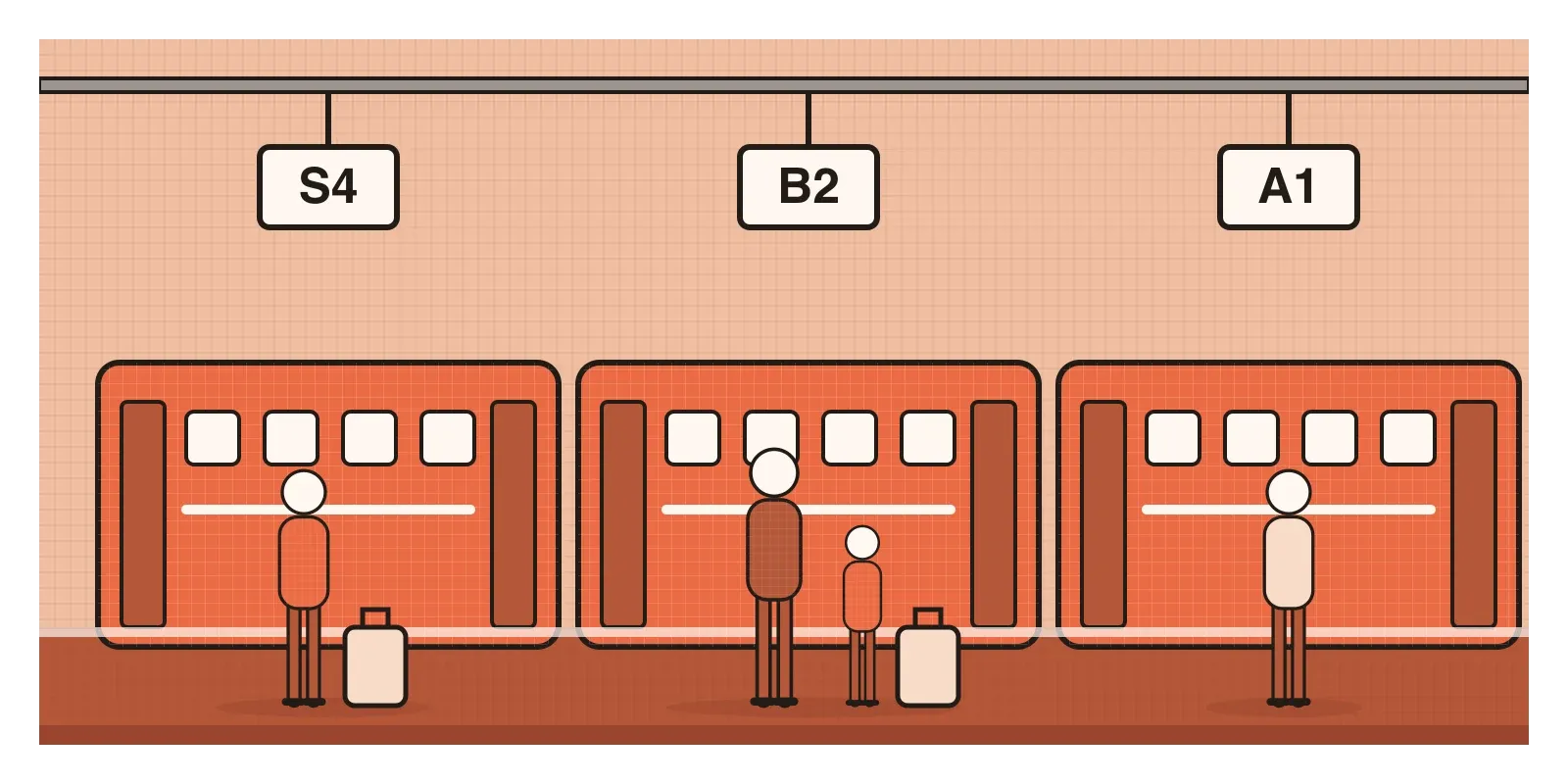
You see how much these signs do when they're missing. In June 2026, The Tribune reported that at Srinagar station, where a twenty-coach Vande Bharat train had replaced an eight-coach one, there were no coach guidance boards on the platform. Passengers ran up and down looking for their coaches. One traveller from Delhi said a vendor sent him to the wrong end of the platform. A railway official told the paper they certainly needed a display system "to avoid chaos". The coaches still afforded boarding. Nothing told people where to stand.
Platforms are full of accidental signifiers too. Regular travellers read the crowd: a knot of people with bundles at one end often marks where the unreserved coaches will stop, until the coaches are arranged differently that day, exactly the unreliability Norman warned about.
Picture an electricity bill screen
Picture the payment screen of an electricity company's app. At the top is the amount due, ₹1,840, in large type. Below it, "Pay now" appears in orange with no shape around it. Right underneath sits an orange banner offering a discount for autopay, in exactly the same colour. Then come "View bill" in small grey text, a meter reading row that secretly expands to show the full history, and two words, "Paper" and "Paperless", that turn out to be a switch.
Every one is a weak signifier. In a test, people would tap the banner when they meant to pay, never find the history and wonder which word was selected.
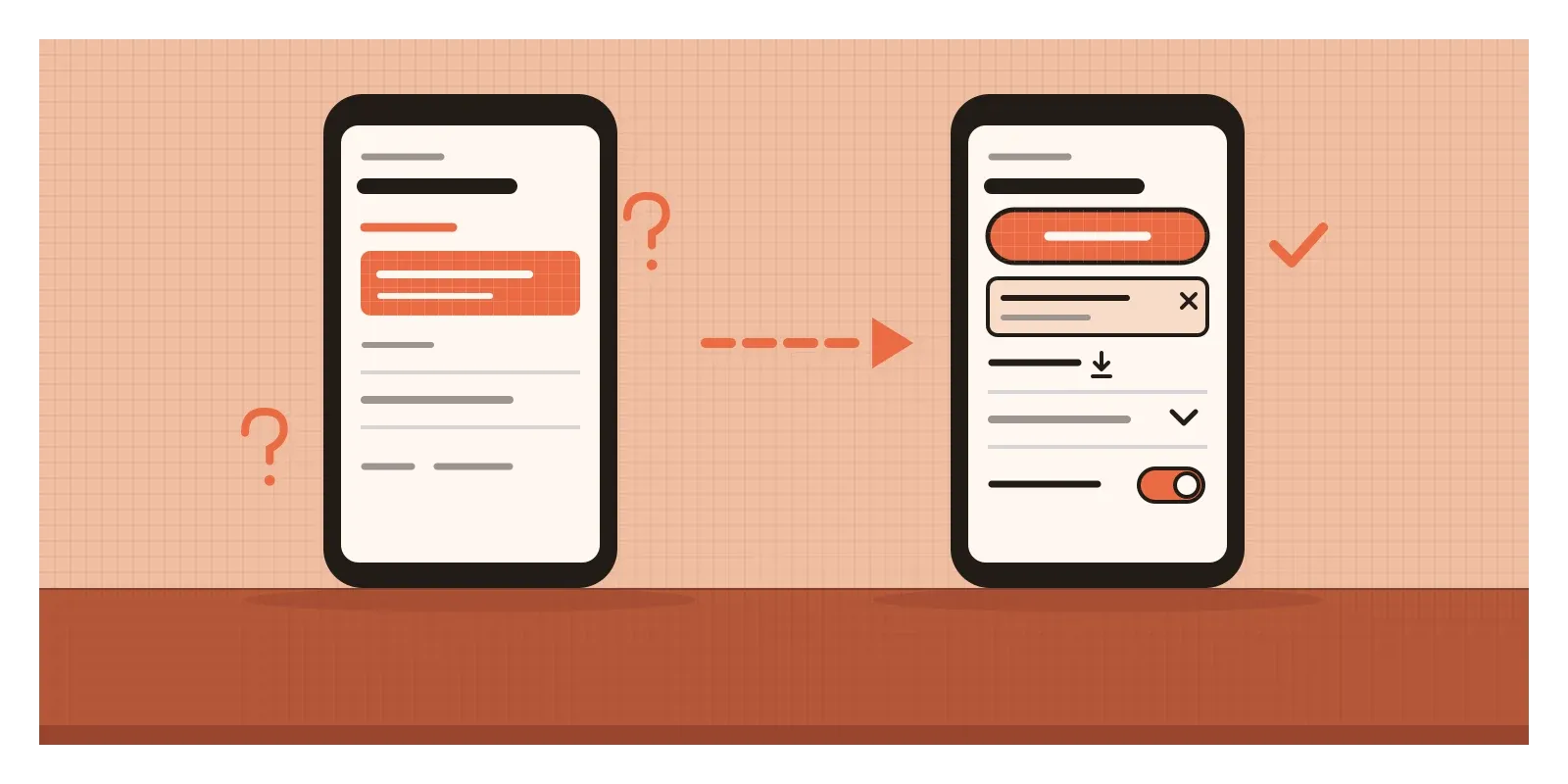
The redesign starts by giving each action a signal that matches what it does. "Pay now" becomes a solid, full-width button, the only filled orange shape on the screen, labelled "Pay ₹1,840" so the action and the amount travel together. The banner becomes a pale card with its own "Set up" link and a close mark, so it stops competing with the button. "View bill" gets a download icon and the darker colour this app uses for every link. The meter reading row gains a chevron pointing down, the convention that says "there's more here". The two words become a real toggle with a label.
Then I'd check the signals in the states people actually see: disabled, dark mode and the largest text size. None of these changes adds a feature. They make the existing features findable.
When the sign is a symptom
The first limit is that a sign can be evidence of a design failure. In a caption to photographs of badly designed doors, Norman writes that when signs have to be added to something as simple as a door, it indicates bad design. Every handwritten note taped to a switch, printer or door is a signifier added by someone who gave up waiting for the object to explain itself. A better door puts a flat plate on the side to push and a handle on the side to pull, so the hardware becomes the sign.
The second is that signifiers can lie. Norman calls these misleading signifiers, and in interfaces they're often deliberate. Sites full of advertising have long shown fake "Download" buttons designed to look like the real one. A tiny cross on a pop-up that opens an advert instead of closing it turns a trusted signifier against the person relying on it. The post on framing effect describes how presentation can steer choices. A false signifier steers the hand.
The third is overload. If every element has a shadow, a border and an underline, the signals cancel each other out. Signifiers work through contrast, the way hierarchy does on a page.
The last is that a signifier must be perceivable to the person who needs it, or it isn't a signifier for them at all. A colour change tells nothing to someone who can't distinguish those colours. A hover effect never appears on a touch screen. A beautifully styled button with no accessible name is silent to a screen reader user. Many signifiers live in code as well as in pixels, as I'll come back to in the posts on accessibility.
How I hunt for missing signs
When I review a screen, I make a small table. Down one side I list every action the screen allows. Next to each, I write the signifier that announces it and what kind it is: a word, a shape, an icon, a position or a convention. Any action with an empty cell is hidden. Any action whose signifier is "it's orange" is probably fragile. Then I check that two different actions never share the same signal, because that's how the autopay banner gets tapped instead of the pay button.
I also look for the trails users already leave, like the search box people type into when navigation fails. Like a worn path across a lawn, they show where the paved route should have gone.
Here's an exercise for this week. Collect three signs that people have added to things around you, the taped "PUSH" on a door, the note on a switchboard that says which switch runs the geyser, the arrow drawn on a gate. Photograph them. For each, sketch a redesign of the object itself that would make the note unnecessary. Then do the same for one screen you use every day.
Signifiers tell people what they can do before they act. In the next post, on feedback, I'll look at the other half of the conversation: how a system tells people what just happened after they act. Norman's friend needed both: a plate showing where to push, and a door that swung to tell him he'd got it right.
Further reading: Don Norman, The Design of Everyday Things (revised edition, 2013) · Don Norman, "Signifiers, Not Affordances" (2008) · Don Norman, Living with Complexity (2010) · Kate Moran, "Flat UI Elements Attract Less Attention and Cause Uncertainty" (2017)
The testFor every action on your screen, can you name the visible sign that announces it, and is that sign used for nothing else?